 Qorvia
Private database intelligence for Mac
Your database knows the answer.
Qorvia helps you find it, privately.
Ask questions in plain English. Get a concise answer backed by evidence, the raw data, and the exact SQL that produced it — on your Mac, offline.


macOS · Free for 7 days, then from $9.99 a month
How it works
From question to evidence
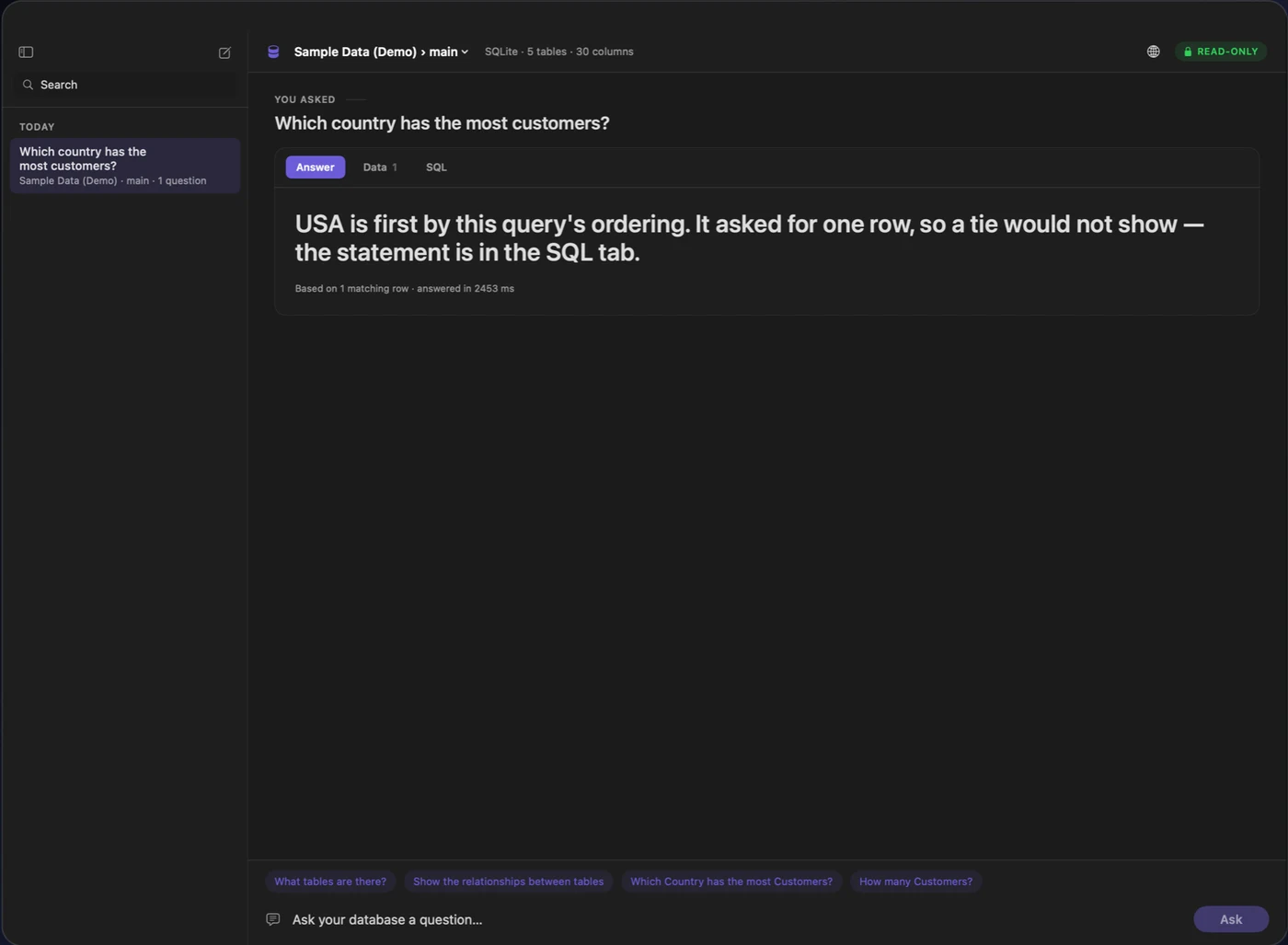
This is the differentiator — not that Qorvia writes SQL, but that it never asks you to take its word for the answer.
Answers you can verify
Four layers between a question and your trust in the answer
Most tools that write SQL stop at the query. Qorvia treats the query as the least interesting part — what matters is whether you can check the answer without re-doing the work yourself.
- Answer
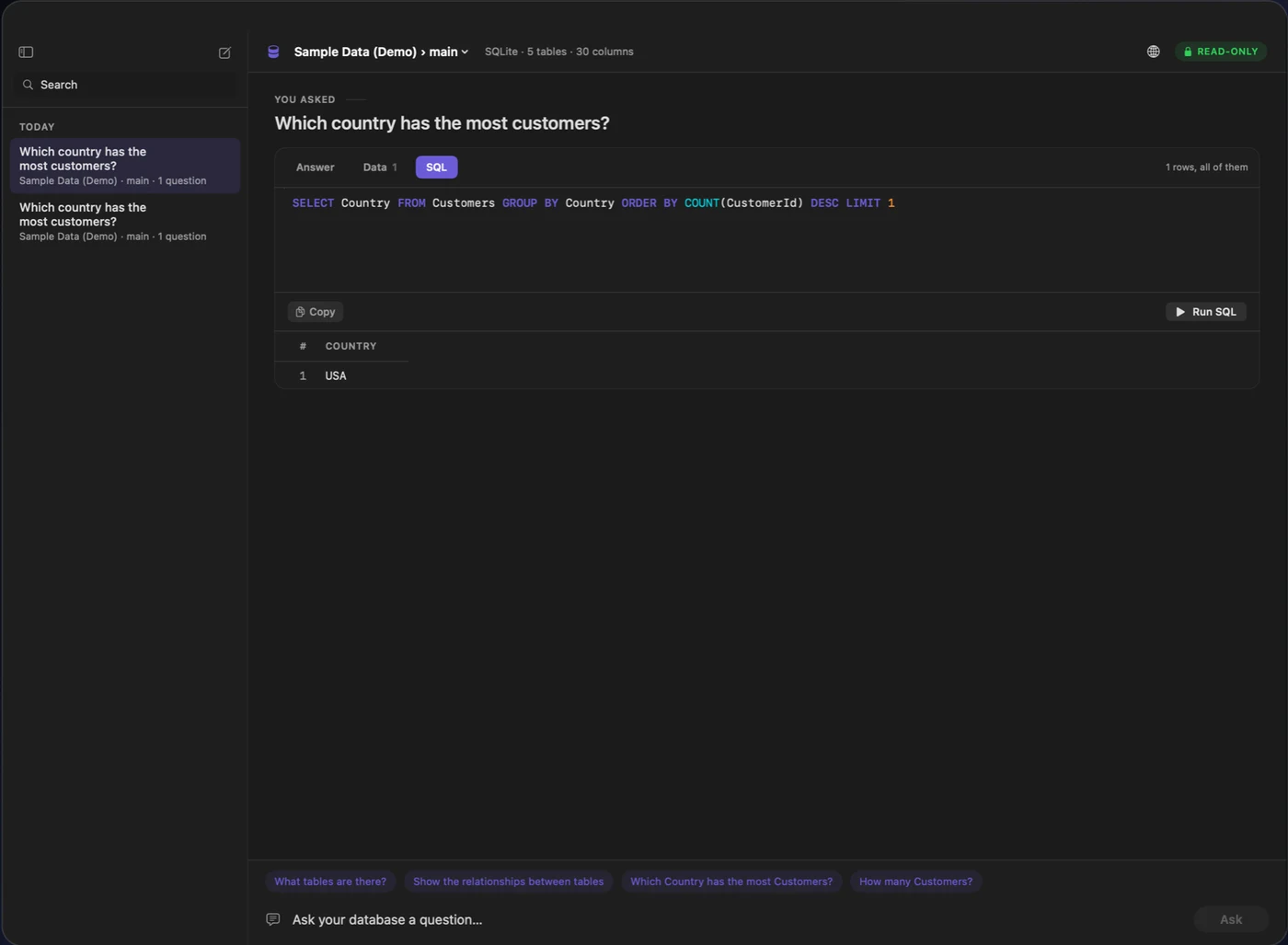
- A concise, computed sentence. When two rows tie for first, it says so instead of naming a winner — a number you're going to act on has to come from arithmetic on real rows, not a guess.
- Evidence
- The rows the answer was computed from, in the same view — not a separate export or a second query.
- Data
- The full result set, available whenever you want to look past the summary.
- SQL
- The exact statement that ran. Read it, edit it, run it again yourself. See which tables were read and what the database agreed to enforce.
Private by design
Built for data you shouldn't have to send anywhere
Not a marketing claim — a description of the code. Every line below is checkable, and none of it is rounded up past what's actually true today.
- Your question, schema, and rows stay on this Mac
- SQL is written by a language model running in-process on your Mac — either a downloaded on-device model or Apple Intelligence, never a remote API. Your question, your database's schema, the SQL that gets written, and every row it returns are used only to answer you, and go nowhere else.
- No analytics, no telemetry, no crash reporting
- Not disabled by a setting — absent. There is no analytics SDK, no crash reporter, and no tracking code anywhere in the app to send anything, even if it wanted to.
- The on-device model downloads once, then runs offline
- The optional higher-quality local model is fetched once from a public model repository (Hugging Face), verified against a checksum, and removable at any time. After that, answering questions needs no network access at all.
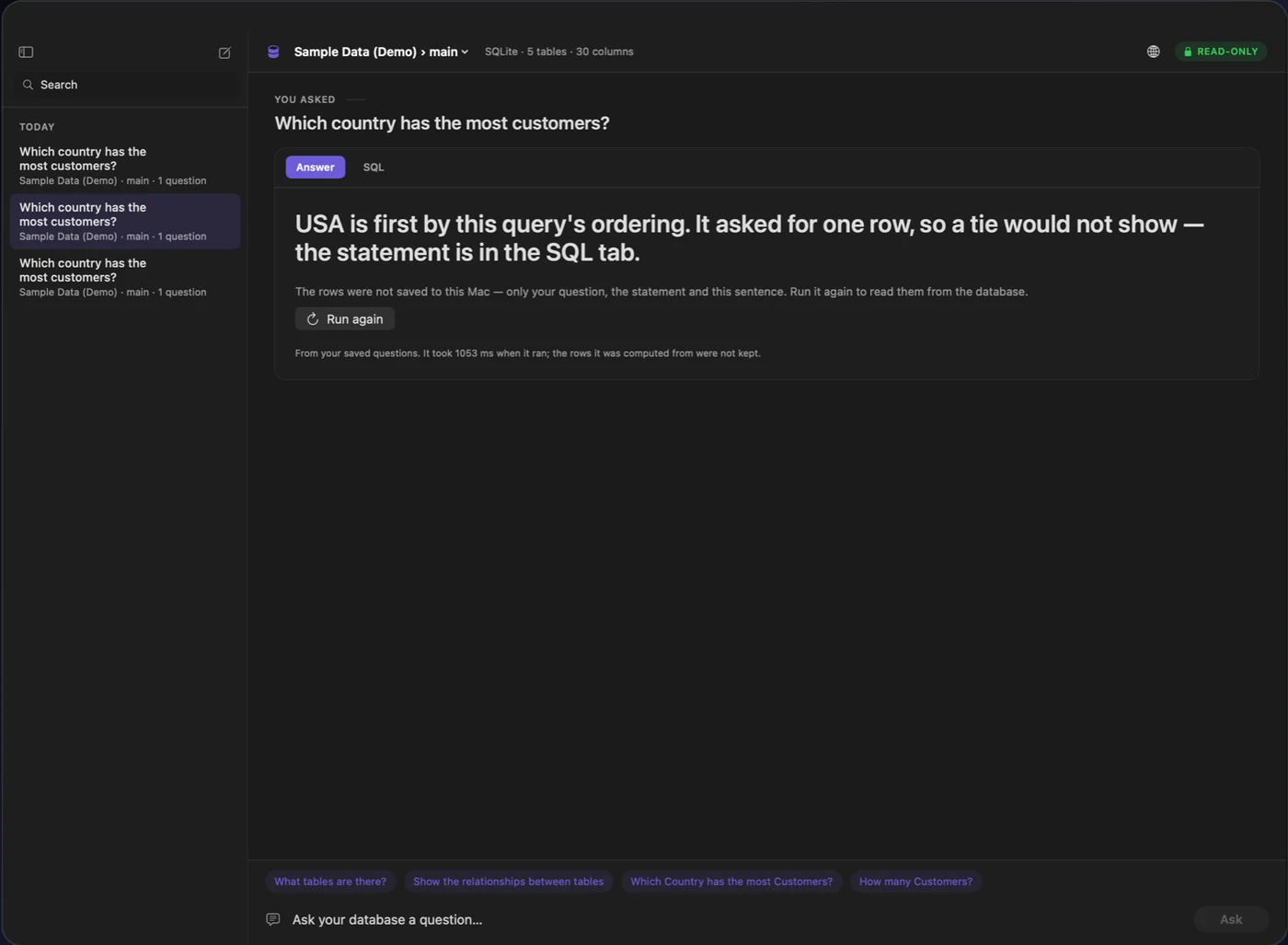
- Past questions are kept — the rows they returned aren't
- Your question history stays on this Mac so you can find it again: the question, the SQL, and the computed sentence. The rows a past answer was based on are never saved — re-run it to read them from the database again.
Read the full, code-level audit this section is built from — see the Privacy page.
Built for real database work
Ask the way you'd ask a colleague
A few of the things Qorvia is actually built to answer today — not a roadmap, not an aspiration.
Explore a database you didn't build
“What tables are there, and how do they relate?”
Answered straight from the schema Qorvia already holds — no query, no language model needed. Relationships come from the foreign keys your database actually declares, drawn as a diagram you can trace one table at a time.
Investigate without writing a JOIN
“Which customers placed the most orders?”
Qorvia writes the statement, and shows a tied result honestly when there is one, instead of a coin toss dressed up as a fact.
Understand a number before you act on it
“Show revenue by product category.”
The computed sentence, the rows behind it, and the SQL that produced them — check any part before it goes in a deck or a decision.
Pricing
One tier. Three ways to pay for it.
Free to download, with every feature unlocked for 7 days — pointed at your own database, not just the bundled sample. There's no Basic/Pro/Business ladder: there is one Qorvia, and the privacy it's built on is in all of it.
Monthly
$9.99
per month
Annual
$79.99
per year
About $6.67 a month — 33% less than paying monthly
Lifetime
$149.99
paid once
Never renews. Qorvia 1.x, yours to keep.
Monthly and Annual renew automatically unless cancelled at least 24 hours before the period ends; Lifetime never renews. Prices shown are US prices and vary by storefront.
- Every feature in every plan — privacy is never an upsell
- PostgreSQL, MySQL, SQLite, Microsoft SQL Server, Azure SQL, and Oracle
- The on-device SQL model, downloaded once, on request
- SSH tunnelling for databases not open to the internet
FAQ
Questions worth answering plainly
PostgreSQL, MySQL, SQLite (opened straight from a file on disk), Microsoft SQL Server, Azure SQL, and Oracle Database. Databases not open to the internet can be reached through an SSH tunnel.
Ask your database a question. See the proof.
Free for 7 days, sample database built in — nothing to set up before your first question.